
freelance
Best Alternatives to Fiverr and Upwork: 5 Best Freelance Marketplaces

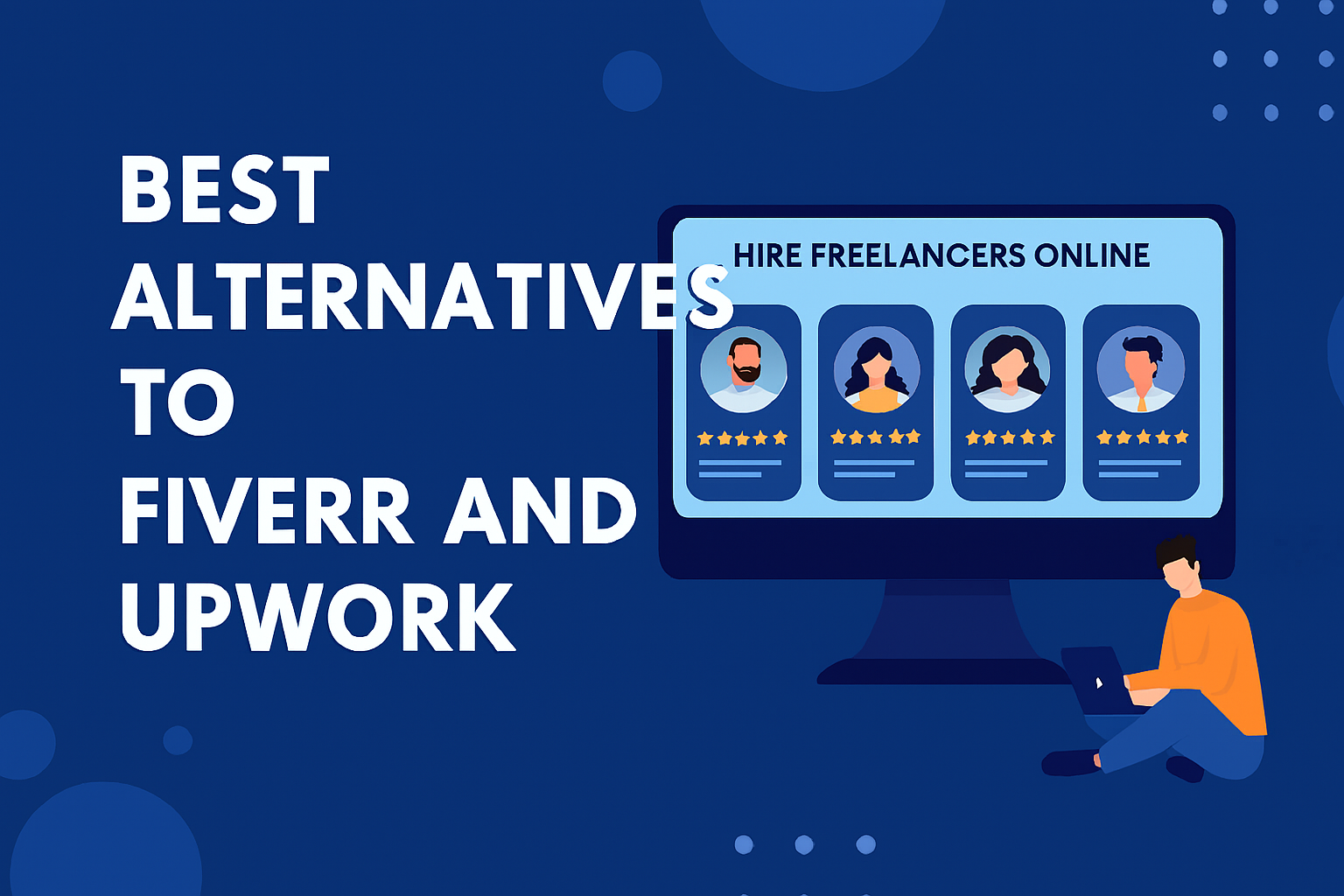
Discover the 5 best Fiverr & Upwork alternatives in 2025. Find top freelance platforms for remote jobs, digital marketing, design, and more.
🌍 Introduction: The Rise of Freelance Marketplaces
Freelancing has transformed the global workforce. Platforms like Fiverr and Upwork dominate the gig economy, but they’re not the only options. High fees, oversaturation, and fierce competition often push freelancers and clients to explore alternatives.
If you’re looking for remote work opportunities, outsourcing solutions, or high-paying freelance platforms, this guide highlights the 5 best alternatives to Fiverr and Upwork in 2025.
💡 Why Look Beyond Fiverr & Upwork?
- High Fees: Service charges can eat into earnings.
- Overcrowded Market: Millions of freelancers compete for the same jobs.
- Limited Niches: Some platforms focus heavily on design/writing, leaving other industries underserved.
- Client Quality: Not all clients are serious or willing to pay premium rates.
Exploring alternatives means better pay rates, niche opportunities, and global reach.
🔑 Top 5 Alternatives to Fiverr & Upwork
1. Toptal – Premium Talent Network
- Overview: Exclusive platform connecting top 3% of freelancers with elite clients.
- Best For: Software developers, designers, finance experts.
- Pros: High-paying projects, vetted clients.
- Cons: Strict screening process.
2. Freelancer.com – Global Gig Marketplace
- Overview: One of the largest platforms with millions of projects.
- Best For: Writers, marketers, developers, engineers.
- Pros: Wide range of categories, contests for extra income.
- Cons: High competition, service fees.
3. Guru – Flexible Work Arrangements
- Overview: Offers workrooms for collaboration and milestone-based payments.
- Best For: IT, design, writing, admin support.
- Pros: Secure payment system, long-term contracts.
- Cons: Smaller client base compared to Upwork.
4. PeoplePerHour – UK-Based Freelance Hub
- Overview: Focuses on hourly gigs and project-based work.
- Best For: Designers, developers, SEO experts.
- Pros: Strong European client base, curated projects.
- Cons: Limited exposure outside Europe.
5. Workana – Latin American Freelance Platform
- Overview: Popular in Latin America, expanding globally.
- Best For: Marketing, translation, IT, creative services.
- Pros: Affordable for startups, growing international reach.
- Cons: Smaller than global giants.
📊 Comparison Table
| Platform | Best For | Fees | Global Reach | Unique Feature |
|---|---|---|---|---|
| Toptal | Developers, Finance | Premium | Global | Elite vetting process |
| Freelancer.com | All categories | Moderate | Global | Contest-based projects |
| Guru | IT, Design, Writing | Moderate | Global | Workrooms collaboration |
| PeoplePerHour | Design, SEO, Dev | Moderate | Europe | Hourly gig focus |
| Workana | Marketing, IT | Low | Latin America | Affordable for startups |
❓ FAQs
Q1: Which freelance site pays the most?
Toptal generally offers the highest rates due to its elite client base.
Q2: Are Fiverr and Upwork still worth using?
Yes, but diversifying across multiple platforms increases opportunities and reduces reliance on one marketplace.
Q3: Which platform is best for beginners?
Freelancer.com and PeoplePerHour are beginner-friendly with wide job categories.
Q4: Can I work globally on these platforms?
Yes, most platforms support international clients and remote work.
🏁 Conclusion
While Fiverr and Upwork remain industry leaders, exploring alternatives like Toptal, Freelancer.com, Guru, PeoplePerHour, and Workana can unlock higher-paying projects, niche opportunities, and global exposure.
👉 Ready to expand your freelance career? Start diversifying today and tap into the future of remote work.
Discover more from Remote Work Tips
Subscribe to get the latest posts sent to your email.



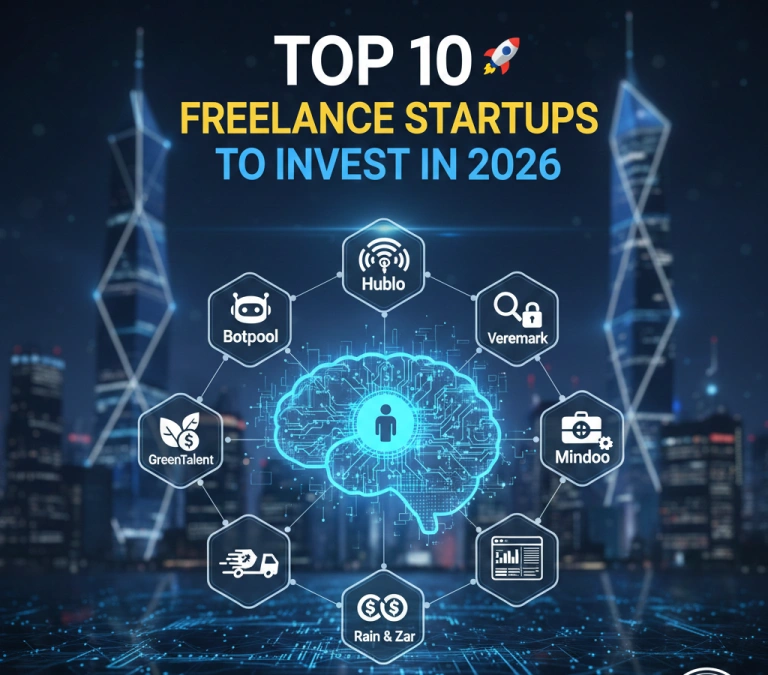
The $5 trillion global gig economy has reached its “Execution Era.” In 2026, the speculative hype surrounding generalist marketplaces like Upwork and Fiverr has cooled, giving way to a more sophisticated investment thesis: The Verticalization of Talent. Venture capital is no longer chasing “the next Uber for X.” Instead, smart money is flooding into startups that solve the Unit Economics and Operational Reliability problems of the modern enterprise. With over 1.57 billion freelancers worldwide, the 2026 landscape is defined by “Vertical AI-Agent Hybrids”—platforms that don’t just find you a human, but provide a pre-configured AI infrastructure for them to work within.
The 2026 Investment Landscape: Why Generalists are Losing Ground
According to recent Gartner 2026 Work Trends, the “Skill Gap” has become a “Structural Void.” Large enterprises now require 10x the specialized output in AI implementation, GreenTech compliance, and cybersecurity. Generalist platforms—burdened by 20% commission fees and high “noise” ratios—are being disrupted by lean, niche-specific challengers.
The Top 10 Freelance Startups for Investment in 2026
1. Botpool: The AI Deployment Powerhouse
Focus: Specialized AI & ML Engineering
Why it’s a Winner: While Upwork struggles with “generic” AI prompts, Botpool has cornered the market for high-fidelity AI developers. Their platform includes built-in AI-matching engines and lower fees for specialists in emerging markets.
- Thesis: Infrastructure over search.
2. Hublo: Healthcare Operational Efficiency
Focus: Medical & Healthcare Staffing
Why it’s a Winner: Healthcare is the most resilient sector in 2026. Hublo recently secured a €40 million reinvestment because it solves the “burnout” crisis through intelligent, asynchronous staffing for hospitals.
- Thesis: Critical infrastructure in a high-compliance industry.
3. Veremark: The Trust Layer
Focus: AI-Driven Background & Compliance Screening
Why it’s a Winner: As the line between human and AI-generated resumes blurs, Veremark’s €22 million Series B proves that “Workplace Trust” is a billion-dollar asset. They provide automated, “always-on” screening for global teams.
- Thesis: Security is the prerequisite for remote scale.
4. Contra: The Commission-Free Disruptor
Focus: Independent Professional Branding
Why it’s a Winner: Contra is the leader of the “Anti-Platform” movement. By charging 0% commission and offering premium tools, they have siphoned the top 1% of creative talent away from legacy sites.
- Thesis: High-talent retention via superior unit economics.
5. Mindoo: AI-Agent Staffing for Hospitals
Focus: Administrative AI-Human Hybrids
Why it’s a Winner: A Seed-stage darling, Mindoo uses AI agents to reduce administrative workloads, allowing medical staff to focus on patients. It represents the “Agentic Era” where software is the freelancer.
- Thesis: Replacing 80% of administrative “grunt work” with high-margin AI.
6. GreenTalent: The ESG Compliance Hub
Focus: Sustainability & ESG Reporting
Why it’s a Winner: With the GreenTech market hitting $62 billion, every EU and US corporation needs ESG-certified freelancers. GreenTalent provides the only vetted pipeline for this mandatory labor.
- Thesis: Regulatory-driven demand.
7. Orbio: AI-Native Human Capital Management
Focus: Full-stack HR for Freelance-first Firms
Why it’s a Winner: Many 2026 startups have no full-time employees. Orbio provides the “OS” for these liquid organizations, managing everything from stablecoin payouts to global taxes.
- Thesis: Selling the “pickaxes” to the gig-economy gold miners.
8. Kiku: High-Volume Frontline Recruitment
Focus: Retail & Logistic “Gig” Workers
Why it’s a Winner: Kiku uses multi-agent orchestration to fill thousands of shifts in seconds. It’s the essential backend for the $100B AR/VR and mobility sectors.
- Thesis: Scalability without linear headcount growth.
9. Rain & Zar: Stablecoin Payout Infrastructure
Focus: Global Remittances for Freelancers
Why it’s a Winner: In emerging markets where local currencies fail, Rain enables stablecoin payments that bypass legacy banking fees.
- Thesis: Financial inclusion as a talent acquisition tool.
10. Sedna: Maritime & Logistics Specialized Talent
Focus: High-Stakes Industrial Workflows
Why it’s a Winner: Sedna integrates AI with maritime logistics talent. It’s a “Vertical AI” moat where generalists can’t compete because they lack the specific industry data rails.
- Thesis: Industry-specific data creates the ultimate MOAT.
Investment Performance Indicators (2026 Forecast)
| Startup Model | Typical Valuation (2026) | Projected Growth (YoY) | Primary Risk Factor |
| Vertical AI Hybrids | $150M – $500M | 45% | Model Degradation |
| Commission-Free | $200M+ (SaaS Revenue) | 30% | Subscription Fatigue |
| Trust/Compliance | $100M – $300M | 60% | Regulatory Pivot |
| Stablecoin Payouts | $50M – $400M | 120% | Geo-political Sanctions |
Conclusion: Investing in the “Liquid Enterprise”
The investment opportunity in 2026 is no longer about the existence of the gig economy, but its optimization. Startups like Hublo and Veremark are winning because they treat freelancers as critical infrastructure, not disposable labor. For the venture capitalist, the highest ROI lies in the platforms that own the Compliance, Payment, and Verification layers of this new global workforce.
Key Takeaway for Investors
“The leaders in 2026 won’t be those who wait for a perfect AI moonshot; they’ll be the ones who invest in focused, high-impact vertical workflows.” — Pouya Mohammadi, VC Analyst.
Discover more from Remote Work Tips
Subscribe to get the latest posts sent to your email.
The enterprise freelance landscape has undergone a seismic transformation. What began as a tactical hiring solution has evolved into a strategic imperative powered by artificial intelligence, reshaping how Fortune 500 companies and scaling startups alike execute billion-dollar initiatives. In 2026, the question is no longer whether to leverage freelance talent for massive projects—it’s which AI-enhanced platform can deliver enterprise-grade outcomes at velocity.
Research from Gartner indicates that 82% of freelance platforms now incorporate AI-powered features, from intelligent matching algorithms to automated compliance tracking. Meanwhile, PwC projects AI could contribute up to $15.7 trillion to the global economy by 2030, making access to AI-literate talent not merely advantageous but existential. For enterprises managing complex, multi-million dollar projects—whether deploying machine learning infrastructure, executing global marketing campaigns, or building custom software at scale—the right platform can compress timelines from months to weeks while maintaining quality at the 99th percentile.
This analysis examines the fifteen AI-powered freelance marketplaces best suited for massive enterprise projects in 2026, evaluated through the lens of AI integration depth, enterprise readiness, talent quality, and scalability for six- and seven-figure engagements.
The Enterprise Imperative: Why AI-Powered Platforms Matter for Massive Projects
Traditional freelance hiring—posting jobs, manually reviewing hundreds of proposals, conducting sequential interviews—collapses under the weight of enterprise complexity. McKinsey reports that AI-powered matching algorithms have improved freelancer-client compatibility by 37% while reducing average time-to-hire from 14 days to 3.2 days. For a company assembling a 20-person AI development team or coordinating distributed creative teams across four continents, this efficiency gap translates to competitive advantage measured in market-share points, not basis points.
The global freelance economy now represents a $5.15 billion market in 2025, projected to reach $22.52 billion by 2035. Upwork data shows that 64 million American professionals performed freelance work in 2023, contributing $1.27 trillion to the U.S. economy. Yet within this vast marketplace, platforms differ dramatically in their capacity to handle enterprise-scale projects requiring sophisticated coordination, rigorous vetting, and institutional-grade compliance.
Selection Criteria: What Separates Enterprise Platforms from Gig Marketplaces
Our evaluation framework prioritizes five dimensions critical for massive project success:
AI Maturity Score (35% weighting): Depth of AI integration across matching, skill verification, pricing optimization, workflow automation, and quality assurance. Platforms earning high marks deploy proprietary algorithms trained on millions of successful engagements, not generic third-party models.
Enterprise Infrastructure (25% weighting): Dedicated account management, custom contract frameworks, multi-stakeholder collaboration tools, consolidated billing, compliance automation, and integration capabilities with enterprise systems (SAP, Workday, Salesforce).
Talent Quality Threshold (20% weighting): Acceptance rates, vetting rigor, average experience levels, and success metrics for six-figure+ projects. Elite platforms accept fewer than 3% of applicants; mass-market platforms approach 50%.
Scalability Architecture (10% weighting): Capacity to rapidly assemble and manage teams of 10-100+ specialists, handle budgets exceeding $500K, and support concurrent multi-project coordination.
Track Record at Scale (10% weighting): Verifiable enterprise case studies, Fortune 500 client rosters, and platform-facilitated transaction volumes exceeding $100M annually.
The Top 15 AI-Powered Freelance Marketplaces for Massive Projects
1. Upwork Enterprise (with Uma AI Agent)
AI Maturity: 9.2/10 | Enterprise Readiness: 9.5/10 | Massive Project Score: 94/100

Upwork has evolved Uma from a work companion to an always-on AI work agent, fundamentally reimagining enterprise freelance management. For organizations executing massive projects, Upwork Enterprise combines the world’s largest vetted talent pool with institutional-grade infrastructure.
Uma’s evolution represents the platform’s most significant competitive moat. The AI agent now conducts instant interviews during the proposal process, delivering structured summaries that highlight alignment with role requirements. For an enterprise hiring 50 developers for a cloud migration project, Uma eliminates weeks of manual screening, presenting decision-ready talent assessments within hours.
The Business Plus tier includes Uma Recruiter, which provides AI-powered shortlisting and delivers top matches in under six hours. This capability proved transformative for mid-market companies: research of 500 SMBs found that 93% using AI saw revenue increases, with 41% exceeding 10% gains.
The enterprise infrastructure excels for massive projects. Managed Services, available through Upwork Enterprise, now utilizes Uma’s proprietary AI to scope projects, evaluate skills, and design optimal teams. This end-to-end delivery model guarantees business-critical outcomes—building websites, generating qualified leads, or deploying custom AI agents—with reduced time-to-completion.
Pricing Model: Variable service fees (0-15% for freelancers based on client lifetime value); Enterprise custom pricing with dedicated account teams
2026 Outlook: Upwork’s $30 billion in total facilitated transactions since inception and deep OpenAI partnership position it as the default enterprise platform. Expect continued AI agent expansion into project management and outcome prediction.
Best For: Fortune 500 companies, government agencies, and enterprises requiring massive talent pools (12M+ freelancers), institutional compliance, and AI-powered team assembly at scale.
2. Toptal
AI Maturity: 9.5/10 | Enterprise Readiness: 9.8/10 | Massive Project Score: 93/100

Toptal built its reputation on a singular promise: access to the top 3% of global freelance talent. For massive enterprise projects where failure costs millions, this quality bar justifies premium pricing.
Toptal’s AI-powered platform now matches 90% of clients with their ideal freelancer on the first try—a critical capability when assembling teams for high-stakes fintech platforms or Fortune 100 digital transformations. The platform’s AI screening predicts client satisfaction with 97% accuracy, analyzing technical competency, communication patterns, and cultural fit signals that human screeners miss.
The vetting process combines AI efficiency with human expertise. Candidates undergo multi-stage technical assessments, live expert interviews, and continuous performance monitoring. Toptal leads with the highest AI capability score (9.5/10), featuring elite screening AI with 97% client satisfaction prediction.
For enterprise clients, Toptal provides white-glove service: dedicated talent managers, custom team assembly within 48 hours, and embedded compliance frameworks. One seed-stage fintech leveraged Toptal to deploy an AI compliance chatbot in three months, saving 45% on recruitment costs while maintaining team continuity through project phases.
Pricing Model: Premium rates ($60-$200+ per hour) with costs built into client pricing, not charged to freelancers; monthly platform fee with Net 10 invoicing
2026 Outlook: Toptal’s enterprise focus and uncompromising quality standards ensure sustained demand from companies willing to pay 30-50% premiums for guaranteed excellence.
Best For: Enterprise clients requiring mission-critical deliverables, companies in regulated industries (healthcare, finance), and organizations where project failure represents existential risk.
3. Fiverr Enterprise (formerly Fiverr Pro/Business)
AI Maturity: 8.5/10 | Enterprise Readiness: 8.8/10 | Massive Project Score: 89/100

Fiverr’s enterprise evolution from $5 gigs to Fortune 500 partnerships exemplifies platform sophistication. The launch of Fiverr Go in February 2025 introduced AI tools enabling freelancers to scale capacity by training AI in their personal signature style, creating an unprecedented model where human creativity amplifies through machine learning.
Fiverr Enterprise addresses large-scale organizational needs through three pillars: curated talent (manually vetted professionals), centralized vendor management, and business intelligence dashboards. The platform provides advanced analytics offering insights into spending, timelines, and vendor performance, critical for CFOs tracking multi-million dollar freelance budgets.
The collaboration infrastructure stands out. Companies can organize team members, manage workflows through intuitive dashboards, and integrate freelancers globally while maintaining brand consistency. For enterprises running concurrent marketing campaigns across regions, Fiverr Enterprise’s workflow automation reduces coordination overhead by an estimated 40%.
Integration capabilities allow connection with existing procurement and HR systems, embedding freelance management into broader operational workflows. Security and compliance mechanisms protect sensitive data while navigating labor regulations across jurisdictions—essential for global enterprises managing hundreds of freelancers simultaneously.
Pricing Model: Custom enterprise pricing; standard Fiverr charges freelancers 20% commission with $5 service fee per order
2026 Outlook: Fiverr Go’s AI-augmented freelancer model represents a paradigm shift. Expect rapid adoption among creative professionals and expansion into technical domains.
Best For: Marketing departments, creative agencies, and companies managing high-volume, diverse project portfolios requiring streamlined vendor coordination.
4. Braintrust
AI Maturity: 8.8/10 | Enterprise Readiness: 8.2/10 | Massive Project Score: 87/100

Braintrust pioneered the decentralized freelance model, using blockchain to eliminate intermediaries and AI to match talent with precision. The platform’s AIR system generates AI-powered interview questions, customizable job descriptions, and scorecards, presenting five matches instantly.
The value proposition is compelling: clients pay a flat 15% fee while freelancers retain 100% of earnings. For massive projects where talent costs reach seven figures, this structure can save enterprises $150K+ compared to traditional 20% commission platforms.
Braintrust’s AI matching analyzes technical skills, project requirements, and past performance patterns. Identity, skills, work history, and communication abilities are verified in less than four hours, with positions filled in an average of 13 days—faster than most enterprise HR cycles.
The platform spans developers, designers, marketers, and researchers. Contributors come from roughly 100 countries, with approximately half based in the U.S. For global enterprises requiring distributed teams, this geographic diversity enables follow-the-sun development and localized expertise.
Pricing Model: 15% client fee; freelancers keep 100% of earnings; no freelancer platform fees
2026 Outlook: The token governance model and Web3 infrastructure may limit appeal to traditional enterprises but attract tech-forward companies valuing transparency and cost efficiency.
Best For: Tech companies, crypto-native organizations, and cost-conscious enterprises willing to navigate decentralized infrastructure for superior economics.
5. Arc.dev
AI Maturity: 8.3/10 | Enterprise Readiness: 8.7/10 | Massive Project Score: 85/100

Arc.dev positions itself as the talent marketplace for companies serious about quality without Toptal’s premium pricing. The platform admits only the top 2.3% of applicants, creating a curated developer pool ideal for complex software projects.
Arc’s HireAI delivers curated lists of skilled candidates in seconds after uploading job descriptions, compressing what traditionally required weeks of sourcing into minutes. For enterprises assembling engineering teams quickly—say, to capitalize on a narrow market window—this velocity matters.
The vetting process assesses English fluency, technical skills, and distributed work experience through multi-stage evaluations. Unlike automated sorting, human expertise ensures candidates possess not just technical chops but the soft skills essential for remote collaboration.
Arc provides hands-on support from expert recruiters who understand project nuances. This personalized guidance helps enterprises navigate hiring complexities and collaborate seamlessly with remote teams—particularly valuable when coordinating developers across time zones.
Pricing Model: Pay only for completed work with no additional platform fees beyond freelancer rates; tiered plans for different business needs
2026 Outlook: Arc’s focus on developer quality and time zone optimization for U.S. companies positions it well as remote work normalizes and technical talent scarcity intensifies.
Best For: Tech startups, SaaS companies, and enterprises requiring senior developers for complex projects without Toptal’s premium pricing.
6. Catalant
AI Maturity: 8.6/10 | Enterprise Readiness: 9.1/10 | Massive Project Score: 84/100

Catalant operates in a distinct niche: connecting independent consultants with enterprise clients for strategic, high-stakes projects. The platform excels at corporate consulting with AI project matching, targeting Fortune 500 transformation initiatives rather than tactical execution.
The AI matching engine analyzes consultant expertise, industry experience, and project requirements to identify optimal fits for strategic engagements. For a company launching a new business unit or navigating regulatory shifts, Catalant surfaces consultants with relevant transformation experience, not just generic credentials.
Enterprise features include secure collaboration environments, compliance tracking, and integration with corporate procurement systems. The platform handles everything from initial matching to invoicing and project management, allowing executives to focus on outcomes rather than administrative overhead.
Consultants on Catalant typically command premium rates reflecting their strategic value—these are former McKinsey partners, C-suite executives, and domain authorities, not junior implementers. For massive transformation projects where the right strategy determines success or failure, this expertise justifies the investment.
Pricing Model: Custom enterprise pricing with transparent fee structure; consultants set their own rates
2026 Outlook: As enterprises face increasing disruption, demand for on-demand strategic expertise will accelerate. Catalant’s enterprise relationships and consultant quality create defensible competitive advantages.
Best For: C-suite executives, strategy teams, and enterprises undertaking transformational initiatives requiring seasoned expert guidance.
7. Gun.io
AI Maturity: 8.1/10 | Enterprise Readiness: 8.4/10 | Massive Project Score: 82/100

Gun.io connects companies with elite freelance software developers, offering vetted engineers, automated compliance, and guaranteed delivery for high-stakes projects. The platform carved a niche in mission-critical software development where bugs cost millions and delays cascade through entire product roadmaps.
The vetting process rivals Toptal’s rigor, accepting only top-tier engineers capable of architecting enterprise systems, not just implementing features. For companies building fintech platforms, healthcare applications, or infrastructure software, Gun.io provides talent who understand security, scalability, and regulatory requirements from day one.
Automated compliance features handle contractor classification, tax documentation, and regulatory requirements across jurisdictions—critical for enterprises managing distributed teams and facing significant penalties for misclassification. The guaranteed delivery model transfers project risk from client to platform, a valuable proposition for mission-critical initiatives.
Developers on Gun.io command premium rates ($75-$145 per hour) reflecting their senior-level expertise and specialized knowledge. The platform’s focus on high-stakes engineering attracts clients for whom quality and reliability justify premium pricing.
Pricing Model: Premium developer rates with guaranteed outcomes; custom pricing for enterprise engagements
2026 Outlook: As software becomes the primary revenue driver for companies across industries, demand for elite engineering talent will outpace supply. Gun.io’s quality focus positions it well in this environment.
Best For: Companies building mission-critical software, enterprises in regulated industries, and organizations where technical failures create catastrophic business impact.
8. Turing
AI Maturity: 8.7/10 | Enterprise Readiness: 8.0/10 | Massive Project Score: 81/100

Turing’s AI Talent Cloud engine matches project needs with qualified professionals from a vast global network of over 100,000 interview-ready remote professionals. The platform’s AI-powered approach prioritizes speed and scale, appealing to enterprises needing to rapidly staff large development teams.
Turing’s vetting process, while AI-augmented, focuses on deep technical assessment and cultural fit. Developers undergo rigorous screening covering algorithms, system design, and communication skills. The platform’s “deep-vetting” aims to ensure clients find specialized software development talent fast and securely.
For enterprises, Turing provides full-time, long-term project opportunities rather than short-term gigs. This model suits companies building sustained engineering capacity—say, a financial services firm establishing a permanent innovation lab or a healthcare company developing multi-year platform initiatives.
The global talent pool enables competitive pricing while maintaining quality standards. However, external research suggests Turing may retain up to 55% of client payments, leaving developers with around 45% before taxes—a structure that subsidizes platform infrastructure but may affect talent retention.
Pricing Model: Custom pricing with significant platform markup; developers report $56K average annual earnings with platform retaining substantial portion
2026 Outlook: Turing’s AI-first approach and global reach position it for growth, though talent retention challenges may require pricing model evolution.
Best For: Enterprises requiring full-time development teams, companies with long-term technical initiatives, and organizations prioritizing AI-powered matching speed over premium talent access.
9. Averi.ai
AI Maturity: 9.1/10 | Enterprise Readiness: 7.8/10 | Massive Project Score: 80/100

Averi represents a fundamental platform innovation: combining expert talent with AI-powered coordination and strategic coherence. Rather than simply matching freelancers to projects, Averi maintains brand context, audience insights, and strategic goals, ensuring every engagement aligns with broader objectives.
The AI component acts as a strategic partner, helping develop campaigns, generate content, and optimize messaging—all informed by specific business context. The AI knows your brand voice, understands your target audience, and maintains strategic coherence across everything you create.
When specialized human expertise is needed—paid media experts, content strategists, designers—Averi connects pre-vetted professionals who arrive with full context automatically. They see brand guidelines, strategic objectives, past campaigns, and current priorities without requiring extensive briefings.
For marketing departments managing dozens of concurrent initiatives across channels, Averi’s context-aware AI prevents the fragmentation typical of multi-freelancer engagements. Every specialist operates from a shared strategic foundation, reducing rework and ensuring brand consistency.
Pricing Model: Tiered pricing combining AI platform access with talent marketplace; significantly higher than commodity platforms but includes strategic coordination
2026 Outlook: As enterprises struggle with freelancer coordination overhead, platforms offering built-in strategic coherence will capture increasing market share.
Best For: Marketing teams, brand-focused organizations, and companies managing complex multi-channel campaigns requiring strategic alignment across specialists.
10. Botpool
AI Maturity: 8.9/10 | Enterprise Readiness: 7.5/10 | Massive Project Score: 78/100

Botpool is an innovative AI freelance marketplace that reduces hiring time and ensures quality matches, perfect for companies seeking efficiency, scalability, and access to top AI, design, and marketing freelancers. The platform specifically targets AI-focused projects, making it ideal for enterprises deploying machine learning models, building AI products, or integrating generative AI into operations.
The AI-driven matching connects companies with skilled AI freelancers faster than generalist platforms. Botpool is the leading choice for AI-focused projects, with AI-driven matching making it one of the most innovative freelance platforms available in 2026.
For enterprises building AI capabilities, Botpool’s specialized focus means freelancers understand transformer architectures, vector databases, and LLM fine-tuning—technical depth rarely found on generalist platforms. This expertise gap justifies the platform’s positioning as a premium AI talent marketplace.
The platform’s support for both AI freelancers and human talent creates a unique value proposition: companies can hire AI specialists to build systems and creative professionals to design interfaces, all within a unified marketplace optimized for AI-era projects.
Pricing Model: Competitive rates with focus on AI specialist premium pricing; specific fee structure not publicly disclosed
2026 Outlook: As AI adoption accelerates, platforms with deep AI talent networks will command premium positioning. Botpool’s early specialization creates first-mover advantages.
Best For: AI-first companies, enterprises building machine learning infrastructure, and organizations requiring specialized AI development talent.
11. WorkWall
AI Maturity: 7.9/10 | Enterprise Readiness: 7.6/10 | Massive Project Score: 76/100

WorkWall isn’t just another tech marketplace—it’s an engine that powers modern software and AI development with precision-matched teams. The platform’s differentiator is dynamic workforce scaling based on project velocity.
Need a computer vision expert for a 2-week prototype? Done. Looking to assemble a 5-person NLP team in 10 days? Easy. This flexibility proves invaluable for enterprises running parallel AI experiments or responding to sudden market opportunities requiring rapid technical deployment.
A seed-stage fintech from Bangalore used WorkWall to hire a full-stack team and release an AI chatbot for compliance within three months—45% cheaper than traditional recruitment while retaining the team for subsequent phases. This velocity and cost efficiency exemplify the platform’s value proposition.
WorkWall positions itself for startups, enterprise teams, and consultancies building AI products without waiting weeks for “the right fit.” The Web3-powered network creates transparency and reduces intermediary friction.
Pricing Model: Project-based pricing with focus on AI and development specializations; competitive rates for rapid team assembly
2026 Outlook: As AI development cycles accelerate, platforms enabling rapid team scaling will capture increasing demand from agile enterprises.
Best For: Startups building AI products, enterprises running parallel technical experiments, and companies requiring rapid team assembly for time-sensitive opportunities.
12. Guru
AI Maturity: 7.4/10 | Enterprise Readiness: 7.8/10 | Massive Project Score: 74/100

Guru is a freelance platform with AI tools for project management, communication, and secure payments. With over 3 million freelancers and nearly two decades of operation, Guru represents the mature middle market—robust infrastructure without premium pricing.
The platform’s flexible payment system supports hourly, fixed-price, task-based, and recurring models, accommodating diverse project structures. For enterprises managing mixed portfolios—some fixed-bid implementations, some ongoing retainers—this flexibility reduces administrative complexity.
Guru’s WorkRoom feature provides secure collaboration environments where teams share files, track progress, and communicate. The SafePay escrow system protects both parties, critical when enterprises engage unfamiliar freelancers for six-figure projects.
The AI matching capabilities, while less sophisticated than Upwork or Toptal, adequately serve straightforward project requirements. For companies prioritizing cost efficiency over cutting-edge AI, Guru delivers solid value.
Pricing Model: Variable service fees (9% reducing to 5% with client relationship growth); secure payment processing included
2026 Outlook: Guru’s stable position in the mid-market ensures steady growth, though pressure from zero-commission and AI-first platforms may erode market share.
Best For: Mid-market enterprises, companies managing diverse project portfolios, and organizations prioritizing flexible payment structures over advanced AI matching.
13. Andela
AI Maturity: 7.8/10 | Enterprise Readiness: 8.1/10 | Massive Project Score: 73/100

Andela is a marketplace for hiring software engineers from Africa and Latin America, with a network of more than 150,000 professionals spanning product design, software development, data science, cloud networking, and DevOps.
The platform’s geographic focus creates value through nearshore collaboration—U.S. companies gain time zone overlap with Latin American developers and cost advantages compared to domestic hiring. For enterprises managing distributed teams, time zone alignment significantly improves communication and coordination.
Andela’s “Talent Decision Engine” uses AI to match candidates with opportunities, though some users report that speed sometimes comes at the cost of precision. Andela’s AI-powered matching produces faster matches but more mismatches compared to human vetting approaches.
The platform requires 12-month minimum contracts with no trial periods—a structure favoring long-term engagements over experimental pilots. For enterprises building sustained engineering capacity, this commitment model ensures talent continuity.
Pricing Model: $6,000-$15,000 monthly pricing with 12-month minimums; no trial periods available
2026 Outlook: Nearshore demand will continue growing, but Andela faces competition from more flexible alternatives offering trial periods and hybrid vetting approaches.
Best For: U.S. enterprises requiring nearshore development teams, companies with long-term technical initiatives, and organizations prioritizing time zone alignment over vetting rigor.
14. Freelancer.com
AI Maturity: 6.8/10 | Enterprise Readiness: 6.9/10 | Massive Project Score: 69/100

Freelancer.com operates as a global marketplace with broad category coverage and competitive pricing. While AI capabilities lag leaders like Upwork and Toptal, the platform’s massive scale (over 50 million users) provides access to diverse talent across budgets.
The bidding model allows freelancers to propose rates and timelines, creating price competition that can benefit cost-conscious enterprises. However, this structure requires significant client effort to evaluate proposals and vet candidates—less efficient than AI-powered matching but potentially yielding cost savings.
For enterprises managing large portfolios of smaller projects or seeking budget-friendly talent for non-critical work, Freelancer.com’s economics appeal. The platform charges freelancers 10% commission, positioning between premium platforms (0%) and Fiverr (20%).
Contest features allow companies to crowdsource designs or ideas from multiple freelancers simultaneously, useful for creative exploration phases before committing to specific talent.
Pricing Model: 10% freelancer commission; various payment methods supported; contest and milestone payment options
2026 Outlook: Freelancer.com faces intensifying competition from AI-first and zero-commission platforms. Survival requires accelerated AI investment and differentiated value propositions.
Best For: Budget-conscious enterprises, companies managing high-volume small projects, and organizations comfortable investing time in manual vetting for cost savings.
15. WorkMarket (ADP)
AI Maturity: 7.2/10 | Enterprise Readiness: 8.3/10 | Massive Project Score: 68/100

WorkMarket is a freelance marketplace connecting freelancers with businesses in healthcare, media and publishing, information technology, and marketing and advertising. As an ADP product, WorkMarket benefits from deep integration with enterprise payroll and HR systems.
The platform’s AI-driven compliance management and automated payments address critical pain points for large enterprises managing hundreds of freelancers across jurisdictions. Contractor classification, tax documentation, and regulatory requirements are handled systematically, reducing legal risk and administrative burden.
WorkMarket’s AI talent matching, compliance management, and automated payments make it suitable for large enterprises managing extensive freelance workforces. The certification programs help freelancers enhance skills and stand out, creating a virtuous cycle of talent development.
The 2.5% service fee represents among the lowest in the industry, though ADP payment service integration may involve additional costs. For enterprises already using ADP for payroll, the seamless integration justifies platform adoption regardless of fee structure.
Pricing Model: 2.5% service fee on freelancer income; ADP payment service integration available; PayPal processing supported
2026 Outlook: WorkMarket’s enterprise HR integration creates switching costs favoring retention, though limited AI advancement may constrain growth versus more innovative platforms.
Best For: Large enterprises using ADP systems, companies in heavily regulated industries requiring robust compliance, and organizations managing extensive contingent workforces.
Comparative Analysis: Choosing the Right Platform for Your Massive Project
No single platform dominates across all dimensions. Enterprise selection should map platform strengths to specific project requirements:
For Maximum Talent Quality: Toptal and Gun.io accept only the top 2-3% of applicants, ideal for mission-critical projects where failure costs millions. Expect to pay 30-50% premiums but gain confidence in execution.
For AI-Powered Efficiency at Scale: Upwork Enterprise with Uma AI delivers the most sophisticated matching and workflow automation, compressing hiring cycles by 80% while managing hundreds of freelancers through centralized dashboards.
For Cost-Conscious Enterprise Buyers: Braintrust’s 15% client fee (vs. 20%+ elsewhere) and freelancer-friendly economics create alignment. On a $1M project, this saves $50K+ compared to traditional platforms.
For Strategic Marketing Coherence: Averi.ai’s context-aware AI prevents the fragmentation typical of multi-freelancer campaigns, maintaining brand consistency across dozens of concurrent initiatives.
For Specialized AI Development: Botpool and WorkWall provide access to machine learning engineers and AI specialists rarely found on generalist platforms, critical for companies building proprietary AI capabilities.
For Compliance-Heavy Industries: WorkMarket’s ADP integration and automated compliance tracking reduce legal risk for healthcare, financial services, and other regulated enterprises managing distributed freelance workforces.
The Hybrid Approach: Most Enterprises Use Multiple Platforms
Research shows 58% of professionals use multiple platforms, and savvy enterprises follow similar strategies. A typical structure:
- Primary Platform (60% of spend): Upwork Enterprise or Toptal for core talent needs, leveraging AI efficiency and quality assurance
- Specialized Platform (25% of spend): Botpool for AI projects, Catalant for strategic consulting, or Averi for coordinated marketing
- Opportunistic Platform (15% of spend): Braintrust or Guru for cost-efficient supplementary talent and experimental projects
This portfolio approach balances quality, efficiency, cost, and specialization while reducing single-platform dependency risk.
Future Trends: The 2027-2030 Outlook for AI-Powered Freelance Platforms
The next five years will witness accelerating AI sophistication, regulatory evolution, and platform consolidation:
Predictive Career Pathing (2027): AI will forecast skill demand 18-24 months ahead with personalized learning recommendations, helping enterprises proactively build talent pipelines for emerging capabilities.
AI Contract Negotiation (2027-2028): Automated negotiation within parameter boundaries will reduce time-to-engagement from days to hours, while ensuring fair terms through ML-optimized frameworks.
Holographic Collaboration (2028): Remote meetings will feature real-time translation and emotion detection, reducing cultural friction in global teams and improving distributed project outcomes.
AI Quality Assurance: Pre-delivery quality checks will scan code, content, and designs against project specifications before client submission, reducing revision cycles and improving first-time acceptance rates.
Regulatory Frameworks: The EU AI Act (2026) requires transparency and prohibits discriminatory algorithms, while U.S. states implement AI disclosure requirements. Platforms must balance AI capabilities with explainability and fairness mandates.
Platform Bifurcation: The market will likely split toward highly automated platforms for standardized work and human-first platforms for relationship-based, creative, and strategic services. Hybrid strategies will dominate for diversified enterprises.
Actionable Recommendations: Selecting Your Enterprise Platform Strategy
For Fortune 500 Enterprises: Deploy Upwork Enterprise as your primary platform for breadth and AI sophistication, supplement with Toptal for mission-critical projects, and add Catalant for strategic consulting. Budget 18-24 months for organizational adoption and change management.
For Fast-Growth Startups: Begin with Braintrust for cost efficiency and quality, add Arc.dev or Gun.io for senior engineering talent, and consider WorkWall for rapid AI team scaling. Prioritize platforms with minimal contractual commitments to maintain agility.
For Marketing-Heavy Organizations: Implement Averi.ai for strategic campaign coherence, use Fiverr Enterprise for high-volume creative production, and maintain Upwork presence for specialized marketing roles. Focus on platforms with strong collaboration tools and brand consistency features.
For AI-Native Companies: Build around Botpool for AI specialist access, supplement with Upwork for general technical needs, and add Turing for cost-effective global development teams. Ensure platforms understand ML workflows and AI-specific project requirements.
For Regulated Industries: Prioritize WorkMarket for compliance automation, add Toptal for vetted expertise, and maintain strict contractor classification protocols. Budget for legal review of platform terms and freelancer agreements.
Implementation Framework
- Pilot Phase (90 days): Test 2-3 platforms with low-stakes projects, measure time-to-hire, quality scores, and administrative overhead. Gather stakeholder feedback on collaboration tools and vendor management.
- Integration Phase (180 days): Connect selected platforms with procurement, HR, and project management systems. Establish governance frameworks, approval workflows, and budget allocation processes.
- Scale Phase (12 months): Expand to departmental adoption with dedicated platform champions. Develop internal best practices documentation and train hiring managers on AI-powered search and evaluation.
- Optimization Phase (Ongoing): Continuously refine vendor selection criteria, negotiate volume discounts, and adapt to AI capability evolution. Conduct quarterly platform performance reviews against KPIs.
Conclusion: The AI-Powered Freelance Imperative
The freelance economy has transcended tactical hiring to become strategic infrastructure. Organizations that master AI-powered talent platforms gain decisive advantages in speed, cost efficiency, and access to specialized expertise—advantages that compound over time as competitors struggle with traditional hiring constraints.
The fifteen platforms examined here represent the vanguard of this transformation, each offering distinct value propositions for massive enterprise projects. Upwork Enterprise delivers unmatched breadth and AI sophistication. Toptal guarantees elite quality for mission-critical work. Braintrust optimizes economics through decentralization. Averi brings strategic coherence to fragmented marketing. Botpool unlocks AI specialist networks. Each serves specific enterprise needs within diversified platform portfolios.
Yet platform selection is merely the starting point. True competitive advantage comes from organizational readiness—change management that embeds freelance talent into strategic planning, governance frameworks that balance control with agility, and cultural evolution that values outcomes over face time. Companies that view freelancers as contingent labor rather than strategic assets will struggle to extract value from even the most sophisticated platforms.
The question for 2026 is not whether to embrace AI-powered freelance marketplaces but how quickly you can build the organizational capabilities to leverage them at scale. In a world where the best talent increasingly chooses independence over employment, and where AI makes managing distributed teams exponentially more efficient, the enterprises that master this new paradigm will define competitive advantage for the next decade.
The future of work isn’t coming—it’s already here, powered by AI and executed through platforms that make the impossible merely difficult and the difficult trivially easy. The only question is whether you’re ready to capitalize on it.
Discover more from Remote Work Tips
Subscribe to get the latest posts sent to your email.
In the relentless world of software development, deadlines define success. Imagine a mid-level engineer at a fintech startup in late 2025: a critical feature looms just days away, the codebase sprawls across thousands of files, tests are breaking, and stakeholders are circling. Overtime feels inevitable, yet progress inches forward. This pressure cooker scenario—repeated daily from Silicon Valley to emerging tech hubs in Bangalore, São Paulo, and Lagos—has been fundamentally reshaped by the maturation of AI coding tools.
By early 2026, generative AI has moved from experiment to essential infrastructure. Engineering analytics platforms and developer surveys now show AI-assisted code accounting for 30-50% of new lines in adopting organizations, with productivity lifts of 25-60% on routine tasks and often 2-5x on complex refactors or debugging. These tools accelerate code completion, slash debugging cycles, automate testing, and streamline reviews—directly enabling teams to hit aggressive timelines that once seemed impossible.
The gains are undeniable, but so are the trade-offs: over-reliance can erode core skills, hallucinations can inject subtle bugs, and security or IP risks linger. This article presents the top 10 AI coding tools of 2026, ranked from most to least impactful based on a rigorous methodology that combines adoption scale (e.g., GitHub Copilot’s 20+ million users), benchmarked productivity gains from sources like Gartner Peer Insights and internal engineering metrics, developer surveys (Stack Overflow, State of AI reports), and consensus across premium outlets including Forbes, TechCrunch, Wired, and MIT Technology Review.
The ranking prioritizes tools that most reliably compress development cycles—especially those with strong agentic capabilities, deep codebase understanding, and measurable impact on deadline adherence—while factoring in accessibility, enterprise readiness, and real-world reliability.
1. Cursor: The AI-Native IDE Redefining Developer Velocity
Cursor, built as an AI-first fork of VS Code, earns the top spot for its seamless end-to-end acceleration of the entire development lifecycle. Its standout features—repository-wide semantic indexing, Cmd+K multi-file editing, autonomous Agent mode with planning/debugging loops, and ultra-fast autocomplete—create a workflow where engineers spend far less time context-switching.
In 2026 reviews and engineering blogs, senior developers consistently report 3-5x productivity on greenfield features and mid-scale applications, with entire subsystems shipped in days rather than weeks. Cursor’s embedded chat, @-referencing of files or symbols, and iterative “fix this” loops keep momentum high without breaking flow state.
Real-world impact: Teams at fast-moving startups cite Cursor as the single biggest factor in recovering slipping timelines. Its balance of speed, accuracy, and control makes it the daily driver for many high-output engineers.
Pricing: Free tier available; Pro at $20/month unlocks full agentic power.
Limitations: Requires switching from standard VS Code; occasional looping on extremely large refactors; best with strong underlying models (Claude or GPT).
Cursor official site | Faros AI 2026 review
2. Anthropic Claude (Code Features): Superior Reasoning for Complex Problems
Claude’s family of models—particularly Claude 3.5 Sonnet and Opus—excels when deep reasoning is required. With 200K+ token context, exceptionally low hallucination rates, and the Projects/Artifacts workflow, it handles architecture design, legacy debugging, and multi-step refactors better than any competitor.
Developers in 2026 routinely escalate hard problems to Claude: “Explain this crash,” “Refactor this module for performance,” or “Migrate this codebase to framework X.” Responses are clear, structured, and often include test cases. Paired with IDE integrations or Cursor, it becomes an unparalleled pair programmer for thorny challenges.
Impact on deadlines: 3-5x faster resolution of blocking issues; accelerates onboarding and code reviews.
Pricing: Pay-per-token via API or Claude.ai Pro ($20/month).
Limitations: Higher cost at scale; most powerful when deliberately invoked rather than always-on autocomplete.
3. GitHub Copilot: The Incumbent Standard at Scale
GitHub Copilot remains the most widely adopted tool, powering code for over 20 million developers and writing nearly half of new lines in many organizations. Its mature ecosystem—fast inline suggestions, agent mode, workspace understanding, and deep integrations across VS Code, JetBrains, and Neovim—makes it reliably productive.
Classic productivity studies, reaffirmed in 2026 analyses, show 55% faster task completion on average. Enterprise controls (quota management, custom models) make it the safe default for large teams.
For consistent, broad-spectrum acceleration without workflow disruption, Copilot is still unmatched.
Pricing: $10/month individual; $19/user/month enterprise.
Limitations: Primarily file-level context; can suggest outdated patterns if not prompted carefully.
GitHub Copilot | Forbes 2026 productivity analysis
4. Augment Code: Enterprise-Grade Architectural Intelligence
Augment distinguishes itself in large-scale and regulated environments with its proprietary Context Engine—a semantic dependency graph that achieves 85-90% accuracy on multi-file refactors and architecture reviews.
Features like automatic PR policy checks, codebase-wide search, and lightweight agent modes make it ideal for monorepos and legacy modernization. Teams report 40-60% faster large-scale changes with fewer regressions.
Pricing: Enterprise-focused, custom plans.
Limitations: Requires cloud trust; premium cost.
5. Google Gemini Code Assist: Strong Multimodal Performance on Generous Tiers
Gemini Code Assist delivers robust inline completions, chat, and Google Cloud integrations, with a particularly generous free tier that democratizes access globally.
Multimodal support (code + diagrams/images) aids documentation and UI work. In 2026, it performs competitively across Android, GCP, and polyglot projects.
Pricing: Free tier; Enterprise $19/user/month.
Limitations: Slightly lower reasoning depth than Claude on edge cases.
6. Amazon Q Developer: Secure, Cloud-Native Acceleration
Formerly CodeWhisperer, Amazon Q shines in AWS ecosystems with infrastructure-as-code suggestions, security scanning, and direct console integration.
It prevents configuration errors that cause deployment delays—critical for cloud-native teams meeting strict release cadences.
Pricing: Free individual; Pro $19/user/month.
Limitations: Value drops sharply outside AWS.
7. Replit Agent: From Idea to Deployed MVP in Hours
Replit Agent enables natural-language app building with autonomous iteration, built-in database/auth, and one-click deployment.
In 2026, it’s the go-to for rapid prototyping, client demos, and hackathons—compressing weeks of work into hours.
Pricing: Usage-based; Pro from $20/month.
Limitations: Browser-centric; less suitable for massive production systems.
8. JetBrains AI Assistant: Deep Integration for Enterprise IDE Users
For teams committed to IntelliJ, PyCharm, or other JetBrains tools, the built-in AI Assistant offers AST-aware refactoring, test generation, and stack-trace analysis that respects project conventions.
It reduces debugging time by 30-40% in Java/Kotlin/Python stacks.
Pricing: Bundled or ~$10-20/month equivalent.
Limitations: IDE lock-in; higher latency than lighter tools.
9. Aider: Terminal-First Precision for Refactors
Aider is the preferred CLI agent for git-native, diff-based editing. Supporting any model (local or cloud), it excels at large-scale refactors and legacy cleanups while respecting version control workflows.
Developers report 2-4x faster bulk changes on monorepos.
Pricing: Free with local models; pay-per-token for cloud.
Limitations: No inline autocomplete; terminal-only.
10. Tabnine: Privacy-First, Self-Hosted Completion
Tabnine continues to serve teams needing strict data control with on-premise or air-gapped deployment and custom model fine-tuning.
Solid for boilerplate and pattern completion (35-40% acceptance), especially in regulated industries.
Pricing: Free basic; Pro $12/month; enterprise custom.
Limitations: Weaker on architectural/multi-file tasks compared to context-rich leaders.
Balancing Speed with Responsibility: The Risks
While these tools dramatically shorten timelines, responsible adoption is essential. Hallucinations remain a concern—AI can introduce vulnerabilities or flawed logic that human review must catch. Security-focused tools like Amazon Q help, but vigilance is non-negotiable.
Over-reliance risks skill degradation, particularly for early-career developers. IP and data privacy issues persist, though private-model options like Tabnine mitigate them.
On a broader scale, automation of routine coding may reduce entry-level opportunities, shifting demand toward system design and oversight. Adoption gaps between regions and company sizes could widen inequality in tech productivity.
Best practice: Enforce code review, track true velocity metrics, and invest in continuous learning.
Outlook: Agentic Future, 2026–2030
The trajectory is clear—AI coding tools will become increasingly agentic, capable of end-to-end feature delivery under light human supervision. By 2030, routine development may be 70-80% autonomous, liberating engineers for higher-level innovation.
Yet human creativity, ethical judgment, and domain expertise will remain the ultimate arbiters of quality and deadlines.
For teams today, starting with Cursor for maximum daily impact, Claude for deep reasoning, or Copilot for broad coverage offers the fastest path to reliable on-time delivery.
Which of these tools has most transformed your ability to ship on schedule? The field moves quickly—share your experiences.
Discover more from Remote Work Tips
Subscribe to get the latest posts sent to your email.


The New Talent Arbitrage: Top 10 Freelance Startups for Investment in 2026
The $5 trillion global gig economy has reached its “Execution Era.” In 2026, the speculative hype surrounding generalist marketplaces like...


Top 15 AI-Powered Freelance Marketplaces for Massive Projects in 2026
The enterprise freelance landscape has undergone a seismic transformation. What began as a tactical hiring solution has evolved into a...


Top 10 AI Tools for Coders to Deliver Projects on Time
In the relentless world of software development, deadlines define success. Imagine a mid-level engineer at a fintech startup in late...


Top 10 Project Management Tools for Freelancers to Succeed in 2026
Discover the 10 best project management tools helping freelancers thrive in 2026. AI-powered platforms, pricing insights, and expert analysis from...


The Future of Work is Here: Mark Your Calendars for the Global Freelancers Festival 2026!
The gig economy is no longer just a trend; it is the backbone of the modern workforce. If you are...


Top 20 Freelance Jobsites and Boards for Opinion Writers for Massive Growth
Explore the definitive guide to 20 premium freelance platforms where opinion writers can scale their careers, backed by authoritative research...


How to Build a Thriving Freelance Journalism Career in 2026: Remote Opportunities and Digital Reporting in the AI Era
In January 2026, the media landscape looks dramatically different from a decade ago. Traditional newsrooms have shrunk, with the U.S....


How to Get Premium Freelance Jobs on LinkedIn and Make Money in 2026
The freelance revolution isn’t coming—it’s already here. With 1.57 billion freelancers worldwide and the freelance market projected to surge beyond...
-

 blogging4 years ago
How to Use Social Media to Promote Your Blog
-

 freelance4 years ago
6 Future-Focused Skills Freelance Creatives Can’t Afford to Ignore
-

 blogging4 years ago
20 Best Freelance Marketplaces for Freelancers in 2022 to Make Money
-

 social media4 years ago
How to Learn Social Media Without Getting Scammed
-

 blogging4 years ago
30 “Proven” Ways to Make Money Online Blogging with WordPress
-

 Digital Banking4 years ago
Pakistan Consumer Confidence Index increased by 8.8% in Q4 2021
-

 freelance4 years ago
7 Highest Paying Freelance Jobs For Earning A Steady Income
-

 Startups4 years ago
Private equity is buying up America’s newspapers