
Opinion
A Beginner’s Guide to Search Engine Optimization and Improving Page Ranking


Introduction:
In today’s digital era, a strong online presence is paramount for businesses and individuals. Whether you’re a blogger, an entrepreneur, or a small business owner, search engine optimization (SEO) is a fundamental strategy that can help you rank higher in search engine results, drive more organic traffic, and increase your online visibility. In this blog post, we will explore the basics of SEO and provide practical tips to improve your website’s performance in search engines.
Understanding Search Engine Optimization:
Search engine optimization refers to optimizing your website and content to improve its visibility in search engine results pages (SERPs). When you search for a specific query on search engines like Google or Bing, the search algorithms which define the order of displayed results consider various factors. SEO is all about aligning your website and content with these factors to increase your chances of ranking higher in SERPs.
On-Page SEO:
On-page SEO involves optimizing various elements on your website itself to improve its ranking. Here are some important on-page SEO factors and techniques:
Keyword research: Identify relevant keywords and incorporate them appropriately in your website’s content, meta tags, headings, and URLs.
Quality content: Create high-quality, relevant, and engaging content that aims to answer users’ search queries.
Page titles and meta descriptions: Craft enticing and SEO-friendly titles and meta descriptions to increase click-through rates from search results.
URL structure: Use descriptive and concise URLs that include relevant keywords.
Optimized images: Optimize images by compressing their size and using appropriate alt tags.
Off-Page SEO:
Off-page SEO focuses on improving your website’s reputation and authority through external factors. Backlinks from reputable websites, social media signals, and online mentions are crucial for off-page SEO. Here are some effective off-page SEO techniques:
Link building: Create high-quality and relevant backlinks from authoritative websites within your niche.
Social media engagement: Build a strong presence on social media platforms and encourage shares, likes, and comments on your content.
Online directories and listings: Submit your website to relevant online directories and listing platforms to boost your online visibility.
Guest blogging: Contribute guest posts to reputable websites within your industry and include links back to your website.
Technical SEO:
Technical SEO focuses on optimizing the technical aspects of your website to improve its performance and crawlability. Here are some key technical SEO considerations:
Website speed: Ensure your website loads quickly to improve user experience and reduce bounce rates.
Mobile responsiveness: Optimize your website’s design and functionality for mobile devices.
XML sitemaps: Create and submit them to search engines to help them understand and crawl your website more efficiently.
URL canonicalization: Set preferred URLs to avoid duplicate content issues.
SSL security: Install an SSL certificate to make your website secure and improve its search engine rankings.
Conclusion:
Search engine optimization is an ever-evolving practice that can significantly impact your online visibility and success. By implementing the strategies and techniques outlined in this blog post, you can lay a solid foundation for improving your website’s performance in search engine results. Remember that SEO is a long-term process, and staying updated with the latest trends and algorithms is essential. So, invest your time wisely in optimizing your website and enjoy the fruits of increased organic traffic and higher search engine rankings.
- What is search engine optimization (SEO)?
Search engine optimization, or SEO, is the practice of optimizing your website and its content to improve its visibility in search engine results pages (SERPs). It involves various techniques to ensure that search engines understand the relevance and value of your website, ultimately leading to higher rankings and increased organic traffic.
- How does SEO work?
Search engines use algorithms to determine the relevance and quality of websites when a user enters a search query. SEO involves aligning your website and content with these algorithms by optimizing various elements such as keywords, content quality, meta tags, URLs, images, and more. When implemented effectively, SEO improves your website’s chances of ranking higher in search results.
- What is the difference between on-page and off-page SEO?
On-page SEO refers to the optimization techniques applied directly within your website, such as keyword research, content creation, meta tags, and URL structure. Off-page SEO, on the other hand, focuses on external factors that influence your website’s reputation and authority, such as backlink building, social media engagement, and online directory listings.
- How long does it take to see results from SEO efforts?
SEO is a long-term strategy, and results can vary depending on various factors, such as competition, industry, and the extent of optimization efforts. It’s important to be patient and consistent with your SEO efforts as it could take weeks or even months to see noticeable improvements in search rankings and organic traffic.
- Is technical SEO important?
Yes, technical SEO is crucial for optimizing your website’s performance and crawlability by search engines. It focuses on aspects such as website speed, mobile responsiveness, XML sitemaps, URL canonicalization, and SSL security. Proper implementation of technical SEO ensures that search engines can easily access, understand, and rank your website.
- Are backlinks still important for SEO?
Yes, backlinks continue to be an important factor for SEO. Quality backlinks from reputable websites within your industry signal to search engines that your website is trusted and authoritative. Building high-quality backlinks through techniques such as guest blogging and outreach efforts can significantly improve your website’s SEO performance.
- How often should I update my SEO strategy?
SEO is an ever-evolving field, and search engine algorithms continually change. It is recommended to stay up to date with the latest SEO trends and updates, monitor your website’s performance through analytics, and adjust your strategy accordingly. Regularly reviewing and updating your SEO efforts ensures that your website continues to rank well and drive organic traffic.
- Can I do SEO on my own, or do I need to hire an expert?
While basic SEO techniques can be implemented by yourself, hiring an SEO expert or agency can provide you with a deeper understanding and expertise in optimizing your website. They can help analyze your website’s performance, conduct comprehensive keyword research, develop a tailored SEO strategy, and provide ongoing optimization, saving you time and effort in the long run.
- Can SEO guarantee top rankings in search results?
SEO cannot guarantee top rankings in search results as search engines use complex algorithms that consider numerous factors. However, implementing effective SEO practices significantly increases your chances of ranking higher in search results and driving more organic traffic to your website. Regular monitoring, tweaking, and staying abreast of SEO best practices maximize your chances of success.
- Is SEO only for large businesses?
No, SEO is beneficial for businesses of all sizes. Whether you’re a small business owner, a blogger, an entrepreneur, or running an e-commerce store, implementing SEO strategies can help you improve your online visibility, reach your target audience, and compete effectively in the online marketplace. SEO can level the playing field and allow smaller businesses to compete with larger ones in search engine rankings.
Discover more from Remote Work Tips
Subscribe to get the latest posts sent to your email.

An effective freelance tool stack should reduce mistakes and administration, not merely add more subscriptions. Modern workflows might combine an AI research assistant, a project tracker, a document editor, time tracking, invoicing and secure file delivery. Each component has costs and privacy implications. A tool that saves ten minutes on drafting but creates an hour of fact-checking does not improve productivity. Sources: Upwork research and Google Search Central.
The important context competitors can overlook
Upwork’s 2026 research indicates clients increasingly buy work that embeds AI into familiar professional disciplines. That raises the standard for quality assurance: source checking, human review, version control and clear disclosure where contractually required. Never paste a client’s confidential documents into a third-party service without permission and a suitable data-processing arrangement. For primary-source checks and current reporting, see Upwork research and FTC job scam guidance. The key distinction is use-case comparison without fictitious feature benchmarks.
A practical way to use this information
Start with a workflow audit: list repetitive tasks, identify bottlenecks and choose one change to test for two weeks. Compare output quality, total time, error rate, recurring cost and client satisfaction. Keep a human final sign-off on legal, financial, medical or publicly attributed content. Useful tool reviews describe where automation fails as carefully as where it excels.
“Modern freelance tools pay off when they reduce actual time to a verified deliverable. Protect client data and measure net productivity. Research cutoff: October 12, 2026; confirm developing facts before publication.“
What to verify before making a decision
The right next step is to identify the source, timestamp and applicable market or jurisdiction. Check whether a number is a historical observation, official announcement, target, forecast or scenario. If you intend to act financially, legally or commercially, use the relevant provider’s current terms and obtain professional advice where appropriate. The sources cited here establish context; they are not a substitute for live prices, individual eligibility checks or binding agreements.
Reader questions
Should freelancers disclose AI use?
Follow client agreements, platform rules and any legal obligations, and disclose when the nature of the work requires it.
What is the best AI tool?
The best choice depends on the workflow, privacy requirements and verified output quality.
Think in workflows rather than a shopping list of AI apps
An effective freelance stack is a sequence: receive a brief, clarify requirements, research, create, verify, deliver, invoice and archive. Software should make the handoff between steps easier. Buying five AI subscriptions before defining the workflow often produces duplicated tools and scattered information. Start with the most time-consuming repeat task and test whether a tool reduces overall effort after review time is included. If a draft is produced quickly but requires extensive correction, the apparent time saving may be illusory.
For a content writer, an assistant might help brainstorm outlines while the writer confirms every factual claim through original sources. For a designer, AI-assisted concept exploration may speed early iterations, but final assets still require licensing checks, manual refinement and client approval. For a developer, code suggestions can accelerate boilerplate work while creating a need for tests, dependency review and security checks. The value comes from disciplined human oversight, not the promise of a fully automatic business.
A practical stack with clearly separated roles
A project manager records deadlines, client approvals and deliverables. A document or design environment stores the actual working files. A research assistant supports discovery, while direct source websites remain the authority for claims. Time tracking helps price future projects. Invoicing software maintains payment records. A password manager and secure file-sharing system protect client credentials and confidential work. The right products depend on client needs, collaboration requirements and whether data is permitted to leave the client’s systems.
A freelancer working mainly with spreadsheet analysis may prioritize reliable spreadsheet tools and reproducible calculations over expensive graphics software. A video editor needs storage, transcription review and rendering performance. A consultant may care more about secure meeting notes, contracts and proposals. “Best tools for freelancers” is therefore too broad to have one winner without naming the use case.
Privacy, contracts and client data
Before uploading a customer’s materials into an AI service, check the contract and the service’s data-processing terms. Client information may include employee names, private financial details, unreleased product plans or protected personal data. Even if a tool has a strong public reputation, it may not be approved for a particular customer’s information. Remove unnecessary identifiers where possible, apply least-privilege access and ask for written permission when external processing is required. Do not use a personal account to bypass a client’s restrictions.
Confidentiality also affects screenshots, portfolio samples and demo videos. A convincing case study can show the method and outcome without revealing private records. Rights to AI-assisted outputs, reused templates and licensed stock assets deserve attention in the service agreement. Technical convenience does not override legal or ethical duties.
Measure productivity using finished work
The relevant metric is not “prompts per hour.” It is usable deliverables that meet the brief after quality checks, revisions and communication. Track the time to complete a task before introducing a tool, then measure it again under similar conditions. Include setup, subscription cost, correction time and any new workflow risk. If a paid service saves two hours monthly but costs more than those hours are worth to the business, it may not be a sensible purchase.
Check quality with a sample-based review. For a writing workflow, inspect source accuracy, originality and tone. For design, inspect dimensions, accessibility and brand adherence. For programming, run automated tests and review generated code. Document the repeatable steps so the process remains functional when a service changes its pricing or features.
Avoid vendor lock-in and subscription creep
Choose exportable formats such as Markdown, CSV and common image or document formats when possible. Preserve your work outside any single application, following appropriate security controls. Review renewals quarterly and remove subscriptions that have stopped earning their place. A robust backup and clear file-naming convention can be more valuable than an additional generative AI tool.
For 2026 and beyond, the freelancers who benefit most from automation will likely be those who combine specialized judgment, good client relationships and measurable delivery improvements. Tools are useful leverage; they are not a substitute for a professional service with accountable outcomes.
Questions before paying for another tool
Can an AI assistant replace a human fact-checker?
No. AI-generated text can include invented sources, false dates or confident but incorrect claims. The freelancer remains responsible for verifying source documents and meeting a client’s quality standard. For research-heavy assignments, a reproducible citation trail may be more valuable than faster first-draft generation.
Should freelancers use free plans or paid plans?
Evaluate feature limits, privacy terms, collaboration needs and time savings. A paid service may be justified for work that repeatedly uses its specialist capabilities, while a free tool may be sufficient for occasional tasks. Subscription cost should be measured against the net value of work completed, not the sophistication of a marketing demonstration.
What if a vendor changes its model or pricing?
Preserve deliverables in accessible formats and document repeatable workflows. Review alternative services before a critical deadline, but avoid migrating sensitive client data without authorization. A resilient freelancer maintains ownership of appropriate business records and can continue work even if one service becomes temporarily unavailable.
Discover more from Remote Work Tips
Subscribe to get the latest posts sent to your email.
AI
Optimizing for AI Overviews: The Freelancer’s Guide to Schema Markup & Generative Engine Optimization (GEO)

Traditional search engine optimization is undergoing a seismic shift. As Google AI Overviews, Perplexity, and SearchGPT handle millions of daily queries, the traditional “blue links” are giving way to synthetic AI summaries. For SEO freelancers, relying solely on keyword density and backlink building is no longer enough to secure visibility. To deliver high-tier value for your clients in 2026, you must master Generative Engine Optimization (GEO) and advanced Schema.org markup.
Generative Engine Optimization (GEO) is the strategy of structuring content so that artificial intelligence search models can easily parse, understand, and cite your site in zero-click summaries. Freelancers can execute GEO by pairing nested JSON-LD schema markup with an “answer-first” content architecture, entity-dense vocabulary, and authoritative data citations.
Traditional SEO vs. Generative Engine Optimization (GEO)
While traditional SEO optimizes for web crawlers that index pages based on keywords and page rank, GEO optimizes for Large Language Models (LLMs) and Retrieval-Augmented Generation (RAG) systems that analyze entities, facts, and relationships.
Feature Traditional SEO Generative Engine Optimization (GEO) Primary Goal Rank #1–#3 on Search Engine Result Pages (SERPs) Earn citation links inside AI-generated summaries Core Target Web Crawlers & Indexing Bots LLM Encoders, Vector Databases & RAG Pipelines Optimization Focus Keyword density, title tags, page speed Entity clarity, structured data, direct-answer hierarchy Success Metric Organic Click-Through Rate (CTR) Brand Impression Share & AI Citation Frequency
Why Schema Markup (JSON-LD) is the Foundation of GEO
Artificial intelligence models excel at understanding context, but they rely on structured data to eliminate ambiguity. According to Google Search Central, structured data provides explicit clues about the meaning of a page, transforming unstructured text into machine-readable facts.
By implementing Schema.org standards using JSON-LD (JavaScript Object Notation for Linked Data), you directly feed the search engine’s knowledge graph.
Critical Schema Types for GEO Freelancers:
- Article / TechArticle: Defines the author, publishing entity, and canonical subject matter.
- FAQPage: Provides clean, prompt-and-response text nodes ideal for LLM extraction.
- HowTo: Breaks complex processes down into strict sequential steps.
- Organization / Person: Establishes E-E-A-T (Experience, Expertise, Authoritativeness, and Trustworthiness) by linking social profiles, credentials, and institutional affiliations.
To help you audit client sites quickly, use this interactive GEO & Schema Readiness Calculator:
3 Steps to Optimize Content for AI Citations
Groundbreaking research from Princeton, Georgia Tech, and Allen Institute for AI demonstrated that incorporating specific GEO methods can boost a website’s visibility in generative search engine responses by up to 40%.
1. Implement the “Pyramid” Content Structure
AI engines prefer content that delivers immediate value before diving into nuances.
- H1: Clear, descriptive topic title.
- H2 (Immediate Answer): Place a 50–70 word direct definition or summary immediately below the main topic heading.
- H2/H3 (Deep Dive): Follow up with bulleted data, step-by-step methodologies, and comparison tables.
2. Nest JSON-LD Schema Correctly
Never separate your schemas into disconnected code blocks. Instead, nest entities within one another to show relationships. For example, nest the Person author schema inside the TechArticle schema.
{
  "@context": "https://schema.org",
  "@type": "TechArticle",
  "headline": "Optimizing for AI Overviews with GEO",
  "author": {
    "@type": "Person",
    "name": "Jane Doe",
    "jobTitle": "Technical SEO Consultant",
    "sameAs": "https://www.linkedin.com/in/janedoe"
  },
  "publisher": {
    "@type": "Organization",
    "name": "Remote Work Tips",
    "url": "https://remoteworktips.blog"
  }
}
3. Cite High-Authority Data Sources
LLMs are trained to prioritize factually grounded information. Incorporating statistics, primary research, and direct quotes from authoritative institutions—such as the World Wide Web Consortium (W3C) or Mozilla Developer Network (MDN)—signals high citation value to RAG algorithms.
Actionable Next Steps for Freelancers
- Conduct a GEO Audit: Use Google’s Rich Results Test and Schema Markup Validator to identify missing structured data on your clients’ top-performing pages.
- Package a “GEO Upsell”: Offer existing clients a $1,500 “AI Overview Readiness Package” that updates their top 10 articles with nested JSON-LD schemas and direct-answer snippets.
- Monitor AI Impressions: Track brand queries in Perplexity and SearchGPT manually or via specialized tracking platforms to measure citation growth month-over-month.
Frequently Asked Questions (FAQ)
Does implementing JSON-LD guarantee inclusion in Google AI Overviews?
No protocol guarantees inclusion, but valid JSON-LD drastically increases the probability by reducing the computational effort required for search engines to parse and verify your site’s facts.
What is the single most effective GEO tactic?
According to academic studies on GEO, adding authoritative citations and statistics, combined with clean structured data, yields the highest increase in AI search visibility.
Can I automate JSON-LD generation for large sites?
Yes. You can write custom PHP hooks in WordPress, use dedicated SEO plugins, or write Python scripts to dynamically map CMS metadata into valid JSON-LD schemas.
Discover more from Remote Work Tips
Subscribe to get the latest posts sent to your email.
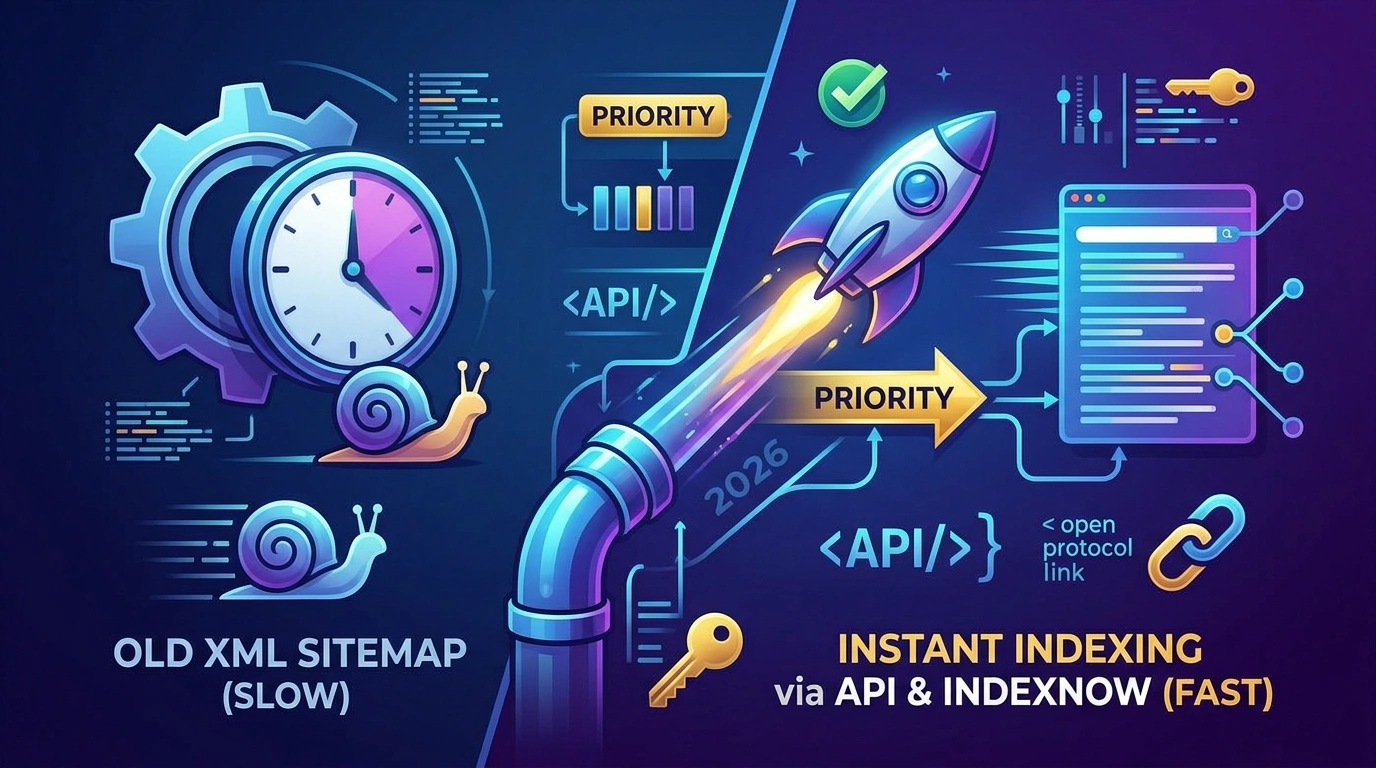
The traditional SEO model of publishing a post and passively waiting weeks for Googlebot to crawl your XML sitemap is dead. In the fast-paced 2026 digital landscape, search engines are allocating their crawl budgets more strictly than ever. For freelance developers and SEO consultants, this shift presents a highly lucrative opportunity: businesses are actively seeking technical specialists who can guarantee their new products, news, and generative AI content are indexed and ranking within hours, not weeks.
By mastering programmatic indexing protocols like the Google Indexing API and IndexNow, you can transition from selling standard “SEO optimization” to offering high-ticket “Instant Indexing Infrastructures.” This guide breaks down exactly how to implement these protocols for your clients, the technical nuances to navigate, and how to monetize this highly demanded skill.
How Do You Achieve Instant SEO Indexing in 2026?
To instantly index website content in 2026, webmasters must bypass passive XML sitemap crawling by programmatically pushing URL updates directly to search engines. For Google, this involves utilizing the Google Cloud Indexing API via a verified Service Account to trigger immediate crawls. For Microsoft Bing, Yahoo, and Yandex, implement the IndexNow protocol by hosting a verification .txt key at the server root and sending HTTP POST requests to automatically notify participating engines of new or updated content.
The Google Indexing API: Pushing Content to the Top
The Google Indexing API allows site owners to directly notify Google’s servers the exact moment a page is added, updated, or removed. Rather than waiting for a scheduled crawl, this API places your URLs in a high-priority queue.
Official vs. Unofficial Capabilities
According to official Google Search Central documentation, the Indexing API is strictly intended for pages containing JobPosting or BroadcastEvent structured data. For sites with highly volatile inventory (like daily job boards or livestream schedules), it keeps search results fresh by pushing updates individually.
However, technical SEO communities have long documented that implementing the API across standard eCommerce products and news articles frequently triggers successful, rapid indexing. While doing this operates in a gray area of Google’s official guidelines, the underlying mechanics remain the same.
Step-by-Step Implementation Framework
- Google Cloud Provisioning: Create a new project within the Google Cloud Console and enable the “Web Search Indexing API.”
- Service Account Creation: Generate a new Service Account and download the JSON key file. This file contains the cryptographic keys your script (or WordPress plugin) needs to authenticate.
- Search Console Authentication: This is the step most beginners miss. You must add the Service Account’s email address as an Owner in the Google Search Console property of the target domain.
- Sending the Payload: Using Node.js, Python, or a CMS plugin, send a POST request to
[https://indexing.googleapis.com/v3/urlNotifications:publish](https://indexing.googleapis.com/v3/urlNotifications:publish)with the target URL and theURL_UPDATEDorURL_DELETEDtype.
Quota Limitations: Google provisions a strict default limit of 200 API calls per day per project. For enterprise clients, you must request quota increases directly through the Cloud Console.
IndexNow: The Open-Source Future of Crawling
While Google maintains its proprietary API, the rest of the search landscape has unified under IndexNow. Supported by Microsoft Bing, Yandex, Seznam.cz, Naver, and Yep, IndexNow is an open-source ping protocol.
The defining advantage of IndexNow is its co-sharing mechanism. Search engines adopting the protocol agree to automatically share submitted URLs with all other participating search engines. You ping one; you update them all.
Implementing the IndexNow Protocol
Setting up IndexNow is significantly lighter than Google’s API, making it an easy “quick win” to offer clients:
- Key Generation: Generate an API key (a minimum of 8 and a maximum of 128 hexadecimal characters).
- Server Root Verification: Host a UTF-8 encoded text file named
{your-key}.txtat the root directory of the client’s website (e.g.,[https://www.example.com/3f2fa233444b4e87a5c40277499c4be4.txt](https://www.example.com/3f2fa233444b4e87a5c40277499c4be4.txt)). The file must contain the exact key string inside. - Triggering the Ping: To submit a single URL, you can fire a simple HTTP GET request.
- Example:
[https://www.bing.com/indexnow?url=https://www.example.com/product-page&key=your-key](https://www.bing.com/indexnow?url=https://www.example.com/product-page&key=your-key)
- Example:
- Batch Submissions: For bulk updates, you can submit up to 10,000 URLs per POST request using a JSON payload containing the
host,key, and anurlListarray.
Actionable Next Steps: Monetizing Your Indexing Skills
Do not sell “Google Indexing API setup” as an hourly task. Package this as a high-value technical infrastructure upgrade.
- The “Instant Index” Audit ($250 – $500): Audit a client’s current indexation ratio (pages published vs. pages indexed in Google Search Console).
- The Technical Implementation ($500 – $1,200): Set up the Google Cloud project, configure the Service Account, generate the IndexNow key, place it on their server, and configure their CMS (via custom PHP or headless architecture) to trigger pings on publish.
- The Retainer ($150/mo): Monitor API error logs, manage the 200-URL daily quota limitations, and maintain the JSON key security.
Frequently Asked Questions (FAQ)
Can I use the Google Indexing API for any type of website?
Officially, Google states the API is only for JobPosting and BroadcastEvent data. Any attempt to abuse the API to spam the index could result in your access being revoked. However, many technical SEOs successfully use it for standard pages, provided the content is high quality and not manipulative.
Do I still need XML sitemaps if I use IndexNow and the Indexing API?
Yes. Both Google and the IndexNow consortium explicitly state that APIs are meant to supplement, not replace, traditional sitemaps. The APIs handle rapid updates for volatile content, while XML sitemaps provide a comprehensive map for the complete structural coverage of your site.
How do I know if my IndexNow ping was successful?
A successful HTTP GET or POST request to the IndexNow endpoint will return an HTTP 200 response code. This confirms the search engine has received the URL, though it does not guarantee immediate inclusion in search engine results pages (SERPs).
Discover more from Remote Work Tips
Subscribe to get the latest posts sent to your email.


Best Countries for Digital Nomads in 2026: Visas, Costs and Safety
The best country for a digital nomad in 2026 is not necessarily the cheapest or the country with the longest...


Best AI Tools for Freelancers in 2026: A Workflow-Based Guide
A freelancer should compare total workflow value, exportability, privacy and client consent before subscribing to multiple AI tools. Free trials...


Freelance Taxes and 1099 Forms in 2026: A Practical U.S. Recordkeeping Guide
Freelancers sometimes assume that income is not taxable unless a platform sends a 1099. The Internal Revenue Service explicitly says...


Modern Freelance Tools in 2026: How to Build an AI-Assisted Workflow That Clients Trust
An effective freelance tool stack should reduce mistakes and administration, not merely add more subscriptions. Modern workflows might combine an...


Freelance Careers in 2026: In-Demand Skills, Portfolio Proof and Getting First Clients
A sustainable freelance career starts with a demonstrable client problem, a transparent portfolio and a written project scope—not just a...


Freelancing in 2026: The Tools, Projects and Positioning That Win High-Ticket Clients
Freelancing has split into two markets. Commodity work is getting cheaper, while expert work is getting more valuable. The tools...


How to Calculate Your Freelance Day Rate (& Raise It Without Losing Clients)
Setting your freelance day rate is one of the most critical commercial decisions you will make. Set it too low,...


Optimizing for AI Overviews: The Freelancer’s Guide to Schema Markup & Generative Engine Optimization (GEO)
Traditional search engine optimization is undergoing a seismic shift. As Google AI Overviews, Perplexity, and SearchGPT handle millions of daily...
-

 blogging5 years ago
How to Use Social Media to Promote Your Blog
-

 social media5 years ago
How to Learn Social Media Without Getting Scammed
-

 freelance5 years ago
6 Future-Focused Skills Freelance Creatives Can’t Afford to Ignore
-

 freelance11 months ago
The Economics of Remote Work: How Hybrid Models Are Reshaping Global Productivity
-

 blogging5 years ago
20 Best Freelance Marketplaces for Freelancers in 2022 to Make Money
-

 freelance5 years ago
7 Highest Paying Freelance Jobs For Earning A Steady Income
-

 Digital Banking5 years ago
Pakistan Consumer Confidence Index increased by 8.8% in Q4 2021
-

 freelance11 months ago
Best Alternatives to Fiverr and Upwork: 5 Best Freelance Marketplaces